Best AI Code Review Tools in 2026
Compare AI code review tools by what they find, how they help fix it, and the evidence engineers can review.
Finding a bug is only part of the work. Someone still needs to understand it, prepare a fix, check the result, and decide whether to merge. For engineering teams evaluating AI code review tools, the useful comparison is how much of that work each tool supports.
AI code review tools analyze code changes and report potential issues. Depending on the tool and configuration, they can also suggest patches, implement fixes, or hand findings to a coding agent. The evaluation should cover analysis scope, useful findings, repair workflow, and verification evidence.
This guide compares 12 tools for those jobs. It also explains where Early Release Guard fits when a team wants to find and fix bugs, receive Fix PRs with tests, and inspect evidence for development and release decisions. Engineers review the changes and control the merge.
What Are AI Code Review Tools?
AI code review tools evaluate source code changes for correctness, security, quality, maintainability, and alignment with pull request requirements. They usually work inside GitHub, GitLab, Bitbucket, an IDE, or a CI/CD workflow. When a developer opens or updates a pull request, the tool analyzes the diff and surrounding repository context, then posts comments, summaries, risk notes, or suggested fixes.
In practical terms, an AI code review tool helps reviewers answer questions like:
- Does this implementation match the task or ticket?
- Did the author miss an edge case in the new code?
- Is there a security, performance, or reliability problem in the changed files?
- Does the PR follow the team’s engineering standards?
- Can the tool suggest a concrete fix for the issue it found?
The strongest tools now go beyond generic suggestions. They use repository context, custom rules, instruction files, pull request history, linked tickets, and sometimes agentic workflows to keep feedback focused on issues that matter.
Findings, Fixes, and Evidence
Evaluate the work a tool performs and the evidence it leaves behind. A finding identifies a potential problem. A fix changes the code to address it and gives an engineer a change to review. Test results provide evidence about the behavior exercised under the recorded conditions.
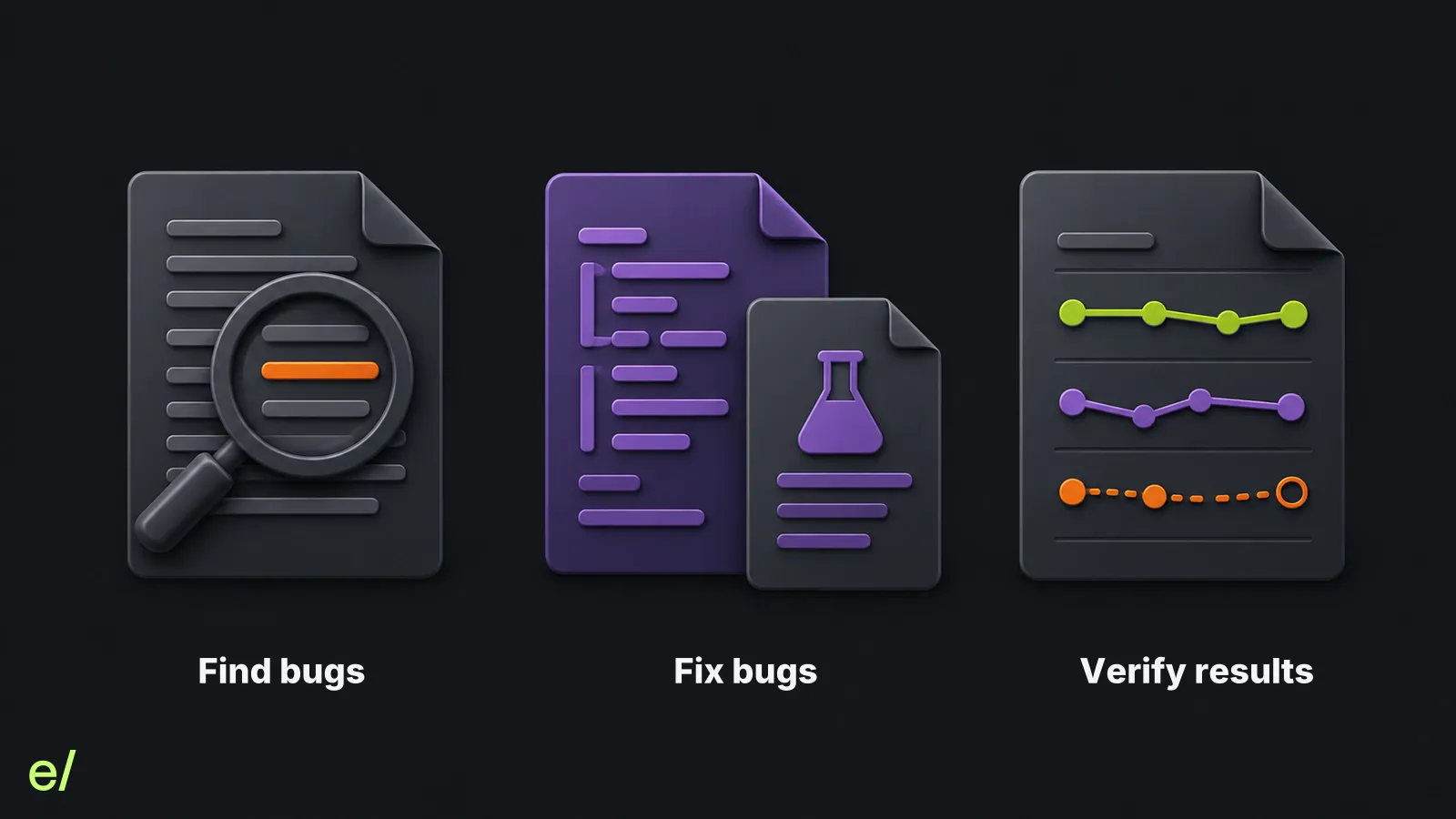
Analysis scope matters as much as the output format. Check whether a tool evaluates a diff, surrounding code, configured dependencies, or a release candidate. Include new bugs, existing defects, and regressions in your evaluation rather than treating regressions as the only relevant failure.
| Question | Evidence to inspect | Decision it supports |
|---|---|---|
| What did the tool find? | Finding, affected behavior, source location, and analysis context | Whether the issue needs investigation or repair |
| What code was changed to fix it? | Patch, rationale, tests, and scope of the change | Whether to accept, amend, or reject the fix |
| What was checked? | Executed checks, results, environment, and remaining uncertainty | What further verification is needed before merge or release |
These jobs can be supported by the same tool or several tools. A useful finding does not prove a fix is correct, and a generated test does not prove that it passed. Inspect each step on representative work from your team.
For a deeper look at that gap, read Reviewing the Diff Was Never the Hard Part and Verifying AI-generated code is a different job than reviewing it. To compare the tools producing the changes that reach review, see 9 Best AI Coding Tools for Developers in 2026.
Best AI Code Review Tools: Quick Comparison
If you only need the shortlist, here is the 2026 comparison.
The fix workflow column distinguishes comments, suggested patches, agent handoff, and branch changes. These are available workflows, not default permissions or proof that a fix passed verification. Availability depends on provider, plan, and configuration.
| Tool | Best for | Fix workflow | Primary workflow |
|---|---|---|---|
| OpenAI Codex | PR review with follow-up coding tasks | Separate fix task can push changes | GitHub and Codex workflows |
| Claude Code Review | Multi-agent codebase-aware pull request review | Comments | GitHub PR comments |
| GitHub Copilot Code Review | Review within GitHub workflows | Suggestions, cloud-agent handoff (preview) | GitHub, supported IDEs and CLI |
| Cursor Bugbot | PR review with optional cloud-agent repair | Suggestions, optional Autofix | GitHub, GitLab, Bitbucket, Azure DevOps |
| CodeRabbit | PR review and follow-up fixes | Suggestions, commits or stacked PRs | GitHub, GitLab, Bitbucket Cloud, Azure DevOps, IDE, CLI |
| Qodo | Rule-driven, context-aware team reviews | Suggests, implements | Git provider integrations |
| Greptile | Graph-based codebase-aware reviews | Suggestions, coding-agent handoff | GitHub, GitLab, Bitbucket and other supported providers |
| Graphite Agent | AI review inside stacked PR workflows | Suggests | Graphite and GitHub |
| Gitar | Review, repair, and CI failure investigation | Commits on demand or automatically | GitHub, GitLab, Bitbucket, Azure DevOps |
| Devin Review | Understanding and reviewing complex PRs | Chat edits, provider-dependent | Devin Review and connected Git providers |
| Amazon Q Developer | Code quality and security review | Suggestions, requested branch edits | IDE, GitHub (preview), GitLab Duo with Amazon Q |
| Bito AI Code Review Agent | Team PR review across major Git providers | Comments and code suggestions | GitHub, GitLab, Bitbucket, IDE |
How We Selected These Tools
This list focuses on tools that can participate directly in a code review workflow in 2026: pull request comments, codebase-aware review, repository rules, suggested fixes, IDE review, or agent handoff. We prioritized current products with documented review workflows over older static-analysis tools, security scanners, and general coding assistants that do not primarily review pull requests.
Compare analysis scope, finding quality, fix delivery, and verification support separately. A strong result in one area does not establish that the tool meets your needs in the others.
The list is not ranked. The numbering is for reference only. These tools serve different review surfaces and different team shapes, so a single ordering would be misleading. Read the fix workflow column and the “Best for” line rather than the position.
Vendor documentation was checked on October 18, 2026. The linked sources describe available capabilities, not results from a hands-on comparative benchmark. Provider coverage, preview features, plans, and permissions can change. Validate the workflow on representative pull requests before purchasing.
How to Choose a Review Tool
The best tool depends less on the model and more on which part of the delivery flow you need visibility into.
1. Start with the review surface
If your team lives in GitHub, a native GitHub reviewer may be the lowest-friction choice. If you use GitLab, Bitbucket, Graphite, or a self-hosted setup, support for your actual review surface matters more than a long feature checklist.
2. Check how much context the tool uses
Diff-only feedback is useful but limited. Better tools read surrounding files, repository structure, team rules, instruction files, tickets, and prior review signals. Context is what separates useful findings from generic advice.
3. Look for signal, not comment volume
The wrong AI reviewer creates work. It comments on style, repeats obvious advice, and trains engineers to ignore it. The right reviewer catches issues that change merge decisions.
4. Decide whether you need fixes or findings
Some tools primarily find problems. Others generate suggested patches, commit fixes, or hand work to an agent. Teams adopting AI-generated code should decide how much of the review-to-fix loop they want automated.
5. Inspect the verification evidence
Ask what the tool checked and what remains uncertain. Distinguish an analysis result, a generated test, and a test execution result. Review the repair against the original finding and check affected behavior before deciding to merge or release.
12 Best AI Code Review Tools
1. OpenAI Codex
OpenAI Codex can post reviews on connected GitHub pull requests, automatically or when requested with @codex review. Repository instructions in AGENTS.md guide the review. A separate follow-up request can start a coding task that prepares a fix and pushes it back to the branch when permitted. Do not assume that a review comment means a repair was implemented or tests were run.
Best for: Teams that want code review connected to a broader agentic development workflow.
Standout capabilities:
- PR review through GitHub-connected workflows.
- Reasoning over codebase context and dependencies.
- Follow-up coding tasks for findings, with branch-write permissions controlled separately.
- Useful for teams already adopting Codex for development, refactoring, and test work.
Limitations: Codex is most valuable when your repositories, permissions, review triggers, and team workflows are configured carefully. As with any agentic reviewer, teams should define what it should review, when it should run, and which findings require human judgment.
2. Claude Code Review
Claude Code Review is Anthropic’s managed GitHub pull request review service for Team and Enterprise plans. Multiple agents examine the diff and surrounding code for bugs, security issues, and edge cases. A verification stage checks candidate findings against the code before posting inline comments. This service reads code without building or running it.
Best for: Teams that want codebase-aware, multi-agent PR review inside GitHub.
Standout capabilities:
- Multi-agent analysis of pull requests.
- Inline GitHub comments tagged by severity.
- Support for repository guidance through files such as CLAUDE.md and REVIEW.md.
- Manual and automatic review trigger options.
Evaluation check: The managed review service does not push fixes or approve or block a PR. Confirm plan and data-policy eligibility, and arrange a separate repair and test workflow. Finding verification here is code analysis, not test execution.
3. GitHub Copilot Code Review
GitHub Copilot Code Review provides review comments and suggested changes in GitHub and supported development environments. Its agentic capabilities gather project context and can pass suggestions to the Copilot cloud agent to prepare a follow-up PR. The cloud-agent handoff is in public preview. Automatic reviews must be configured.
Best for: Teams that want configurable reviews and repair handoff within GitHub workflows.
Standout capabilities:
- Native GitHub pull request integration.
- Actionable suggestions that developers can apply quickly.
- Repository-grounded review rather than generic best-practice comments.
- Configurable review triggers, repository guidance, and organization policies.
Evaluation check: Confirm access, usage charges, runner availability, and automatic re-review settings. Agentic features depend on runner support. Evaluate finding quality on your code rather than assuming the review is shallow or that adoption is free.
4. Cursor Bugbot
Cursor Bugbot reviews pull requests for bugs, security issues, and code quality problems. It can run automatically on PR updates or manually through commands such as cursor review or bugbot run. For teams already using Cursor, Bugbot fits naturally into the same development loop, with findings that can be opened directly in Cursor or Cursor’s web agents.
Best for: Teams that want PR review with an optional cloud-agent fix workflow.
Standout capabilities:
- Automatic or manual PR reviews.
- Project-specific rules through .cursor/BUGBOT.md.
- Optional Autofix that uses a cloud agent to push repairs to an existing or new branch, where supported.
Evaluation check: Review happens on the pull request and does not require every contributor to use the Cursor editor. Autofix has separate usage and storage requirements. Its branch modes vary by provider, and Azure DevOps review support does not currently include Autofix.
5. CodeRabbit
CodeRabbit is a dedicated AI code review platform focused on pull requests. It summarizes changes, posts detailed review comments, and lets developers chat with the reviewer about findings. It is designed to sit alongside human reviewers and reduce the time spent understanding routine PRs.
Best for: Teams that want a focused AI PR reviewer across common Git workflows.
Standout capabilities:
- Automated PR summaries and review comments.
- Conversational follow-up on code review feedback.
- Support for multiple development surfaces including PRs, IDE, and CLI workflows.
- Fix comments can deliver repairs as a commit or stacked PR.
Evaluation check: Tune instructions and comment volume on your repositories. Fix comments may deliver changes even when build verification fails, so inspect the verification result and proposed patch before merging. Check provider support for the delivery mode you want.
6. Qodo
Qodo’s code review experience focuses on multi-agent PR review, rule enforcement, and organization-specific quality standards. It is built for teams that need consistency across repositories, not just one-off AI comments. Qodo can analyze pull requests with repository context, pull request history, and defined rules so feedback reflects how the organization actually builds software.
Best for: Teams that want rule-driven AI review aligned with internal engineering standards.
Standout capabilities:
- Multi-agent review architecture.
- Rule system for team and organization standards.
- Pull request summaries, review feedback, chat, and remediation workflows.
- Support for major Git platforms.
Evaluation check: Qodo can derive standards from code and PR history as well as accept explicit guidance. Review the resulting standards, false positives, and remediation permissions. Check that the integrations and repair workflow you need are available for your Git provider.
7. Greptile
Greptile is an AI code review agent that builds a graph of the codebase so it can review pull requests with broader system context. Instead of looking only at isolated files, it maps functions, classes, and dependencies, then posts PR comments with suggested fixes. Greptile also connects findings to external coding agents so developers can route issues into tools like Claude Code, Codex, Cursor, Devin, or other agent environments.
Best for: Teams that want codebase graph context behind AI review comments.
Standout capabilities:
- Repository graph indexing.
- Automatic PR review comments.
- Suggested fixes with paths and line numbers.
- Handoff from review comments into coding agents.
Evaluation check: Check which repositories and dependencies are included in the analysis, then inspect how a finding reaches the repair workflow. Repository context and runtime verification answer different questions.
8. Graphite Agent
Graphite Agent brings AI review into Graphite’s code review platform, which is already known for stacked pull requests and developer workflow tooling. It comments directly on pull requests, focuses on real bugs rather than style noise, and provides suggested fixes for issues it identifies.
Best for: Teams using Graphite for stacked PRs, PR inboxes, merge queues, and review workflow management.
Standout capabilities:
- AI review comments inside the Graphite/GitHub review flow.
- Focus on logic bugs, edge cases, security vulnerabilities, and performance issues.
- Dashboards for review impact and acceptance rates.
- Custom rules and exclusions for team-specific review behavior.
Evaluation check: Evaluate AI reviews separately from the value of Graphite’s stacking and merge workflows. Graphite joined Cursor in December 2025, so Graphite and Bugbot are not independent vendors. Compare their current workflows and commercial terms rather than assuming feature parity.
9. Gitar
Gitar combines PR review with repair and CI failure investigation. It can commit fixes on demand or automatically under configured rules, monitor CI, and attempt further repairs after failures. Sonar acquired Gitar in May 2026 and positions it alongside SonarQube. A documented repair loop is not a guarantee that every failure will be resolved.
Best for: Teams that want review findings resolved rather than returned as comments to action later.
Standout capabilities:
- Automatic PR review with inline findings and suggested fixes in connected repositories.
- Fixes committed on demand or automatically, depending on configuration.
- CI failure analysis and iterative repair attempts.
- Configurable pull request lifecycle control, including blocking on issues, approving, and merging.
- GitHub, GitLab, Bitbucket, and Azure DevOps, including self-hosted instances.
- Custom policy enforcement plus Jira, Linear, and Slack integrations.
Evaluation check: Branch writes, approvals, and merging are separate permissions. Decide which actions require human approval and inspect CI results after each repair. Sonar describes Gitar and SonarQube as complementary products, not interchangeable checks.
10. Devin Review
Devin Review is a code review platform for understanding and reviewing complex pull requests. It organizes large diffs, detects moved or copied code, flags likely bugs, supports codebase-aware chat, and lets reviewers take GitHub workflow actions from the review surface. It is especially useful when the hard part is not just finding a bug, but understanding a large change well enough to review it.
Best for: Teams reviewing large, complex, or agent-generated PRs.
Standout capabilities:
- Smart diff organization.
- Bug catching with confidence levels.
- Codebase-aware chat about the PR.
- Ability to apply code changes from chat back to the PR branch.
- Auto-review options for connected repositories.
Evaluation check: Devin can post findings back to GitHub, so using it does not require abandoning GitHub review. Provider capabilities differ: chat edits are supported for GitHub and GitLab, but not Azure DevOps. Confirm the connection permissions needed for comments, edits, and workflow actions.
11. Amazon Q Developer
Amazon Q Developer reviews code in supported IDEs and through Git integrations. The GitHub integration remains in preview and can post findings, suggest fixes, and implement requested branch changes. GitLab Duo with Amazon Q provides a separate merge request review workflow.
Best for: AWS-oriented teams that want code review, security checks, and suggested fixes in one workflow.
Standout capabilities:
- Automated GitHub PR review with threaded findings and suggested fixes.
- IDE-based code review for files, diffs, projects, or workspaces.
- SAST, secrets detection, dependency analysis, and code quality findings.
- Suggested fixes and requested implementation changes that developers can review.
Evaluation check: GitHub reviews run automatically when a PR opens or reopens, not after every subsequent commit. Request another review with /q review after changes. Verify quotas, repository permissions, preview terms, and the requirements of the specific IDE or Git integration.
12. Bito AI Code Review Agent
Bito’s AI Code Review Agent reviews pull requests and merge requests across GitHub, GitLab, and Bitbucket. It posts comments inside the PR, uses codebase context, supports custom review rules, and can incorporate signals from static analysis and open source vulnerability tools. Bito also supports IDE-based review workflows for developers who want feedback before opening a PR.
Best for: Teams that need AI PR review across multiple Git providers.
Standout capabilities:
- Automated and manually triggered PR/MR reviews.
- Support for GitHub, GitLab, Bitbucket, and self-managed variants.
- Custom code review rules and guidelines.
- Jira ticket context for requirement checks.
- IDE review options alongside PR/MR review.
Evaluation check: Distinguish summary-only access from plans that include line-level suggestions. Validate findings, configuration, and fix application on your repository. This documentation review does not establish that Bito produces stronger or weaker findings than the other tools.
Other Tools to Consider
Not every useful code-quality tool belongs in the main AI code review list. Some tools are better understood as security, static analysis, or developer assistant platforms with AI-assisted review features.
Snyk Code and Snyk Agent Fix focus on security findings and proposed repairs. Agent Fix replaces the DeepCode AI Fix name and checks candidates through Snyk Code scanning. Its documented scope is single-file fixes, not automatic repair of vulnerabilities spanning multiple files.
SonarQube AI CodeFix is relevant for organizations that already rely on SonarQube and want AI-generated fix suggestions for eligible findings. Check the documentation for your installed version and edition. Gitar adds an agentic review and repair workflow alongside SonarQube, rather than replacing its analysis.
Tabnine is worth considering for teams that want AI code review through CLI, IDE, and GitHub Actions workflows, especially where model control, privacy, or self-hosted options matter.
Where Early Fits
Early Release Guard finds and fixes bugs across configured projects and dependencies, including new bugs, existing defects, and regressions. It creates Fix PRs with tests for supported findings and connects that work to verification evidence throughout development and release.
For a team comparing AI code review tools, the practical question is what happens after a bug is found. Review comments, suggested patches, and implemented fixes delivered in PRs with tests require different amounts of follow-up work.
After authorized initiation, Early implements the fix for an eligible finding and delivers it with tests in a reviewable PR. Your engineers review the changes, amend them where needed, and control the merge.
Regression detection remains one strength within Release Guard. Regression Intelligence explains how a release can change established production behavior. The broader product also addresses general bug findings and repair.
| Layer | Primary question | Best output |
|---|---|---|
| AI code review | Is this change correct? | PR comments, summaries, suggested fixes, security or quality findings |
| Automated tests | Do known checks still pass? | Pass/fail evidence for specified behavior |
| Regression analysis | What existing behavior did this change break or put at risk? | Affected flows, impact analysis, release risk, regression evidence |
| Early Release Guard | What bugs need attention, what fixes can we review, and what was verified? | Bug findings, Fix PRs with code changes and tests for eligible findings, and verification evidence |
These capabilities can overlap. Several tools above already suggest or implement fixes. Evaluate the analysis scope, repair workflow, and evidence each tool provides on your own code. A Fix PR delivers code changes for review. Engineers still need to assess correctness, check verification results, and decide whether to merge.
AI Code Review Tools FAQ
What is the best AI code review tool?
There is no universal best tool. Shortlist by Git provider, analysis context, repair workflow, permissions, and cost. Compare review comments separately from suggested patches, agent handoffs, and committed fixes. Several tools support more than one of these workflows. Test candidates on representative pull requests and inspect finding accuracy and verification evidence before choosing.
Can AI code review replace human reviewers?
No. AI code review can provide a strong first pass, catch bugs, summarize pull requests, and suggest fixes. Human reviewers still own product judgment, architecture, tradeoffs, accountability, and final approval.
What is the difference between AI code review and static analysis?
Static analysis usually checks code against deterministic rules. AI code review uses language models and repository context to reason about implementation quality, edge cases, intent, and possible bugs. Many modern platforms combine both approaches.
What is the difference between AI code review and regression analysis?
AI code review evaluates a code change using available code and requirements context. Regression analysis focuses on changes to established behavior. Their capabilities can overlap. Evaluate the context analyzed, bugs found, fixes implemented, and verification evidence instead of assuming the category name defines everything a tool can do.
Do AI code review tools catch security vulnerabilities?
Many do, especially tools such as GitHub Copilot Code Review, Claude Code Review, Codex, Cursor Bugbot, Amazon Q Developer, Snyk Code, SonarQube, Bito, and Qodo. Security-sensitive teams should still combine AI review with SAST, SCA, secrets scanning, threat modeling, and human security review.
Should every pull request get AI review?
For many teams, yes, as long as the review is high-signal and does not block developers with low-value comments. Larger organizations may use different triggers for different repositories, risk levels, or PR sizes.
From Code Review to Reviewed Fixes
The best AI code review tools in 2026 make pull request review faster, more consistent, and more useful. They summarize changes, catch local bugs, enforce rules, suggest fixes, and help reviewers spend less time on routine inspection.
Choose against the work your team needs to complete: reviewing a change, finding bugs beyond the immediate diff, preparing a repair, or checking its outcome. Regression analysis and executed tests remain useful sources of evidence alongside code review.
When evaluating a fix, inspect the finding, the patch, the tests, and the actual verification results. Keep review and merge decisions explicit.
To evaluate bug finding, fixes delivered as Fix PRs with tests, and verification evidence in your development and release workflow, explore Early Release Guard.