Early Release Guard
Map project relationships
Tell Early which projects call which, so it can catch a change in one service that breaks another. This isn't a one-time setup step. Come back and add relationships as your team connects more projects.
Why this matters
Most regressions aren’t caused by the change itself. They show up in whatever depends on it. A change in a backend service can break a frontend that calls it, even though the frontend’s own code never changed. Early can only catch that kind of regression if it knows the two projects are connected. mapping dependencies is what makes cross-service regression detection possible at all.
What this does
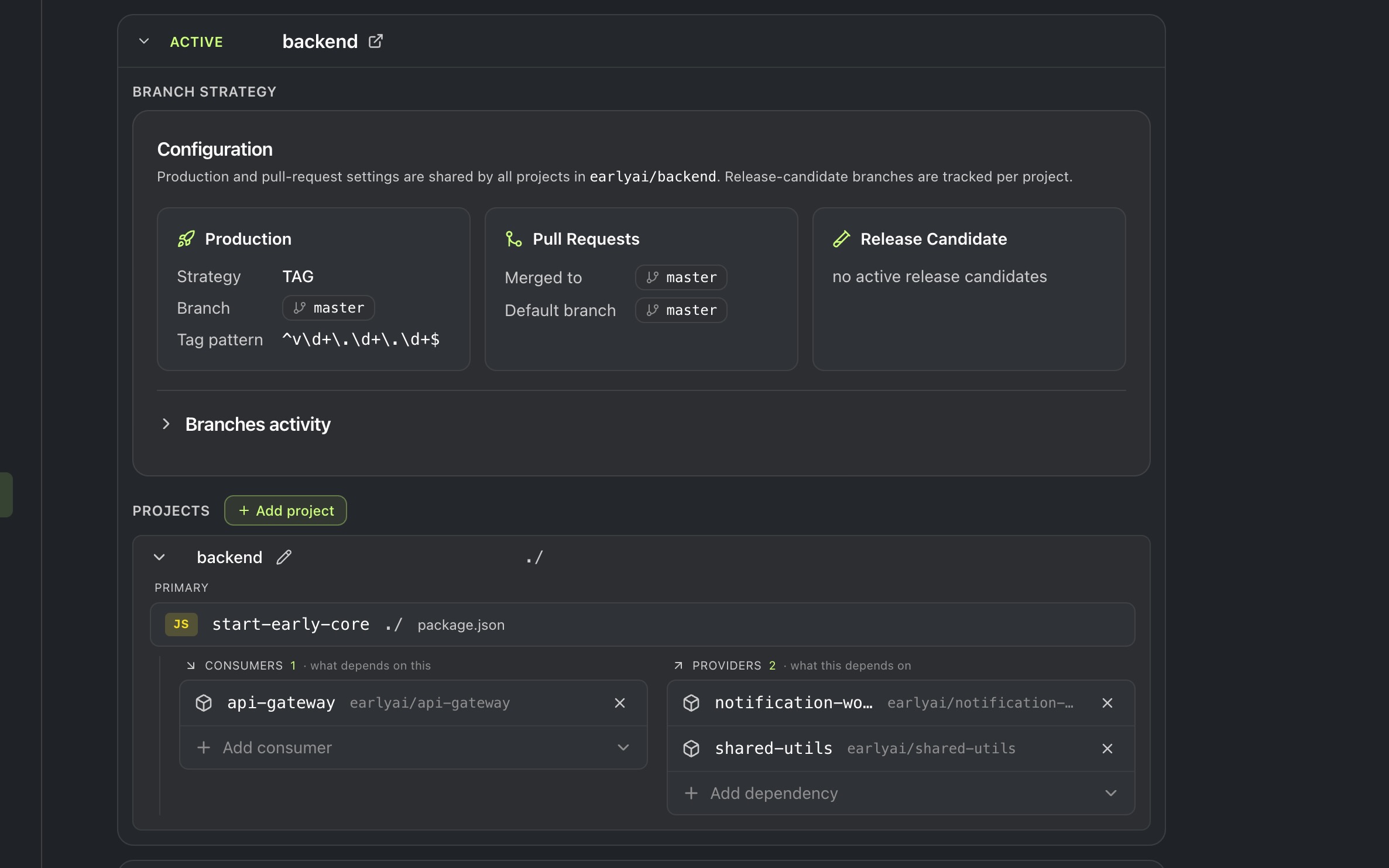
Every dependency has two sides: a project’s consumers are what call it, and its providers are what it calls.
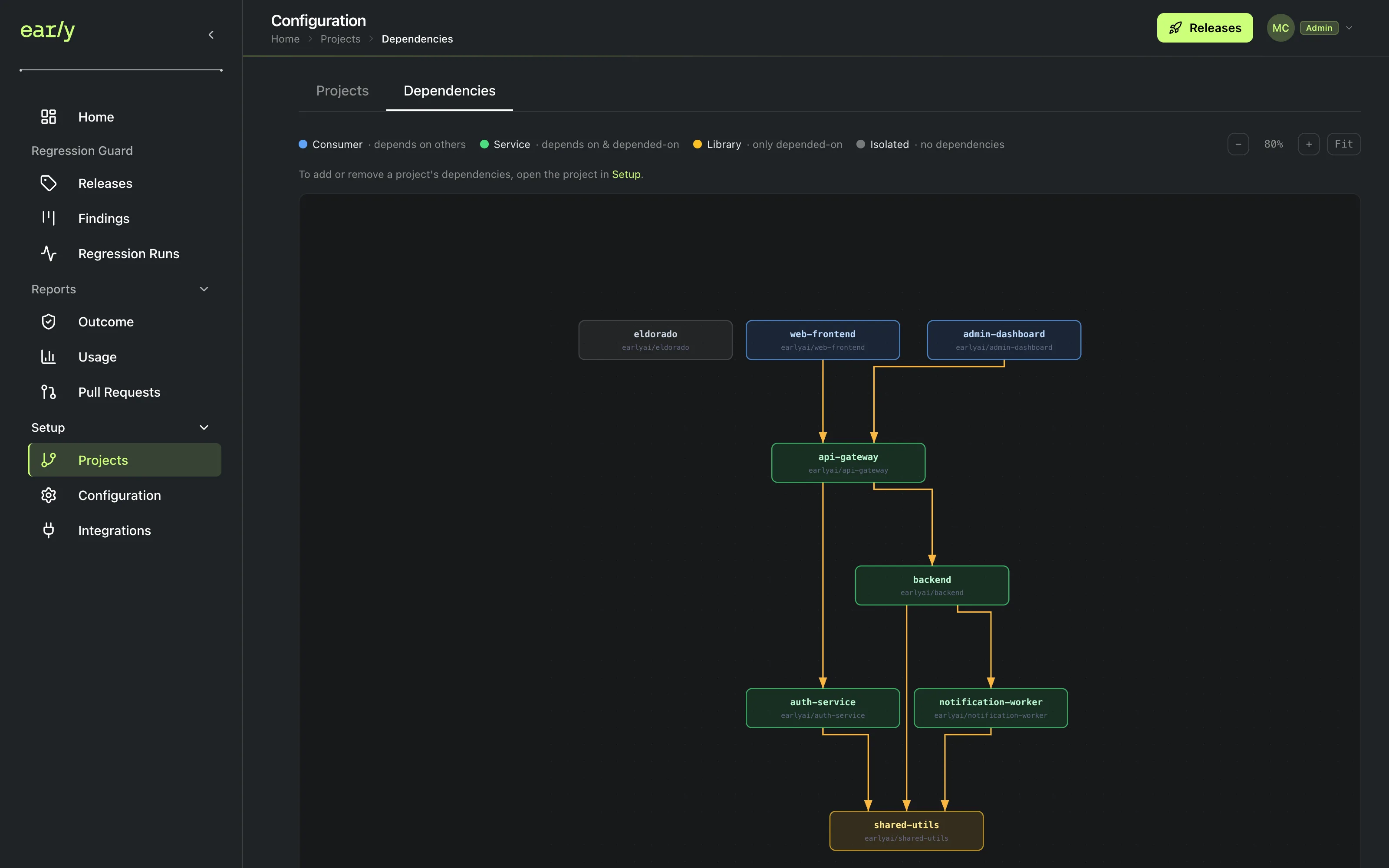
Once configured, this graph is always available at Setup → Projects → Dependencies. Each project is colored by its role: a Consumer only depends on others, a Service both depends on others and is depended on, a Library is only depended on, and an Isolated project has no dependencies mapped yet.
Prerequisites
At least two projects (set one up here if you only have one so far). There has to be a second project to point at.
Steps
-
Open Setup, then the Configuration tab, then Projects.
-
Expand the project you want to configure.
-
At the bottom, add the project’s consumers (projects that depend on it) or its providers (projects it depends on). Both lists only offer projects you’ve already set up. Whether a dependency is an API consumer or a library consumer doesn’t matter, Early treats them the same way.
When to use this
Like inviting teammates, this step has no finish line. Relationships grow as your system does. Come back and add new ones whenever your team connects another project, not just during initial setup.
Related
Add a release candidate. The relationships you map here shape what a release candidate’s analysis actually covers.